> ## Documentation Index
> Fetch the complete documentation index at: https://www.bazhuayu.com/docs/llms.txt
> Use this file to discover all available pages before exploring further.
# 云采集实况与历史运行记录
> 介绍八爪鱼采集器高版本功能:云采集实况与历史运行记录。
## **功能简介**
任务正在运行云采集的时候,可以查看当前运行详情;任务运行了多次云采集的时候,可以查看历史运行记录。
 **使用版本限制**
云采集(团队版及以上版本)可使用此功能,旧套餐旗舰版及以上版本可使用。
## **一、查看云采集详情**
启动云采集之后,会弹出云采集的采集窗口,此外在任务列表,点击
**使用版本限制**
云采集(团队版及以上版本)可使用此功能,旧套餐旗舰版及以上版本可使用。
## **一、查看云采集详情**
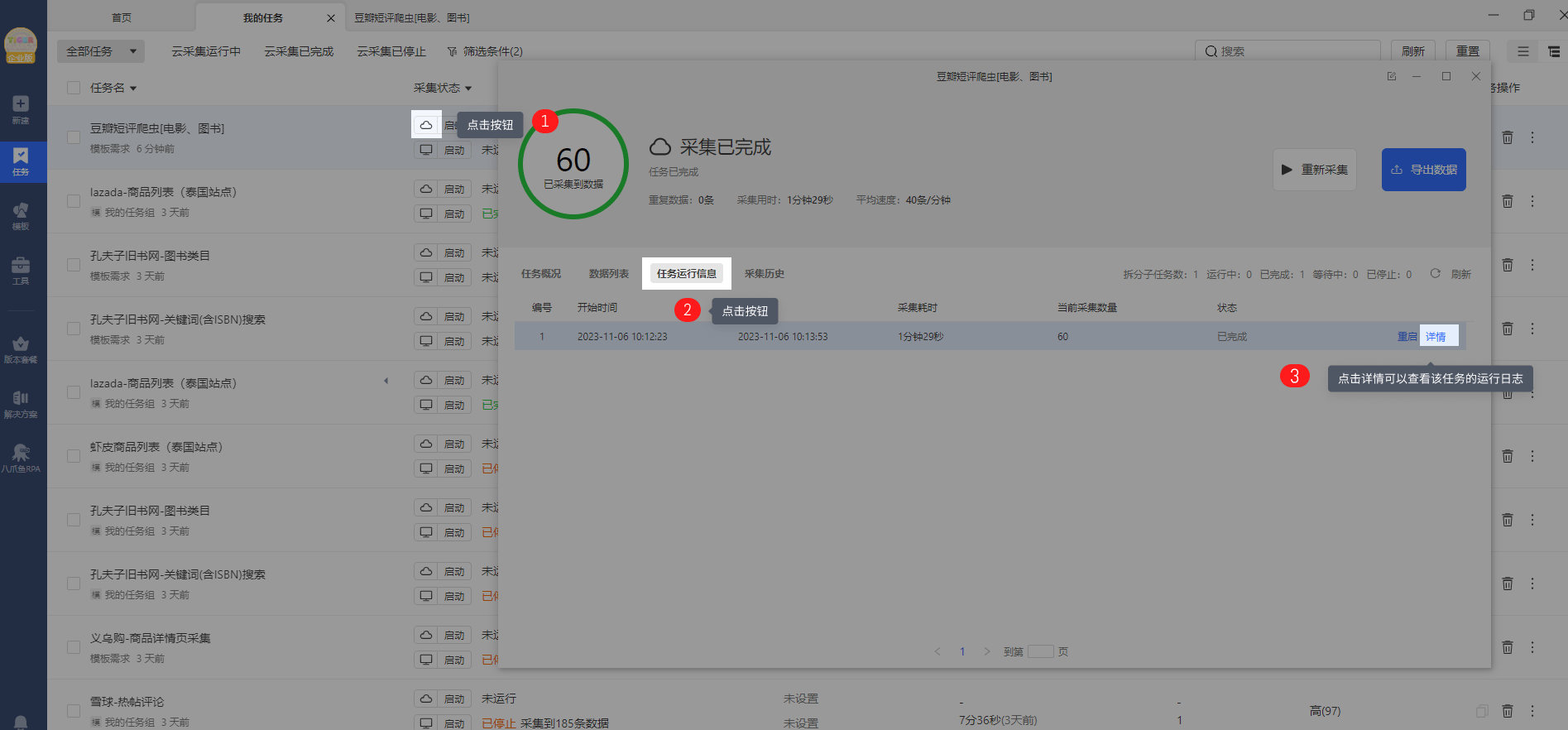
启动云采集之后,会弹出云采集的采集窗口,此外在任务列表,点击 ,也会弹出采集窗口,在采集窗口,可查看云采集的采集实况。在任务运行信息点击【详情】可以查看对应批次任务的运行日志,具体参考教程[云采集日志查看](/docs/zh/academy/premium-features/cloud-extraction/cloud-extraction-logs)
 ### **1.任务概览**
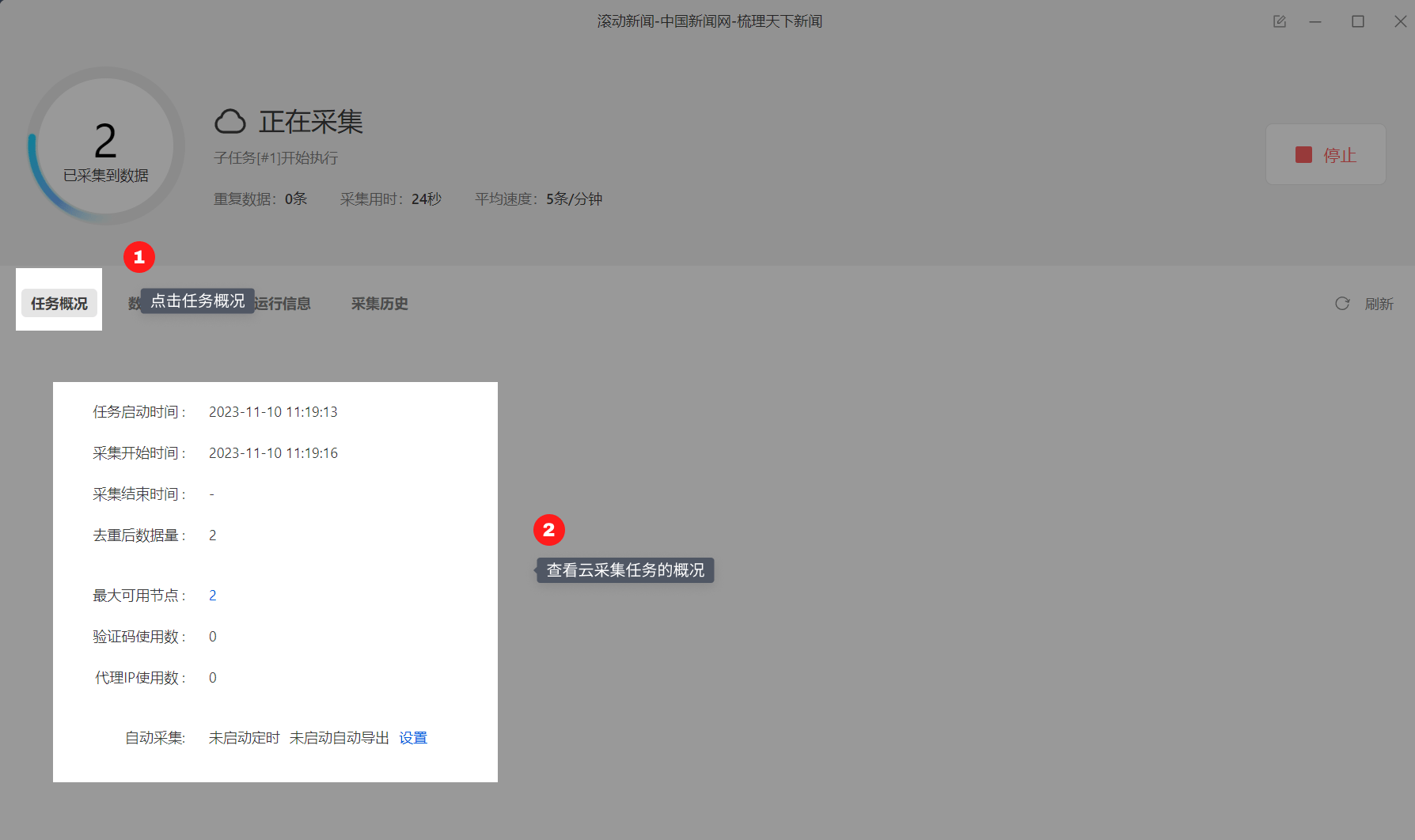
任务云采集情况总括:任务状态(运行中、已停止、已完成)、开始时间、结束时间、耗时、平均速度、采集数据量、消耗代理IP、消耗验证码、最大可用节点数等。
在任务概览界面还可以点击设置定时采集以及自动导出
### **1.任务概览**
任务云采集情况总括:任务状态(运行中、已停止、已完成)、开始时间、结束时间、耗时、平均速度、采集数据量、消耗代理IP、消耗验证码、最大可用节点数等。
在任务概览界面还可以点击设置定时采集以及自动导出
 ###
### **2.任务运行信息**
点击【任务运行信息】,可以查看当前任务的拆分情况,以及拆分的子任务的运行情况。点击对应子任务的【停止】按钮,可以停止子任务的采集,点击对应子任务的【详情】按钮,可以查看子任务的采集日志。
###
### **2.任务运行信息**
点击【任务运行信息】,可以查看当前任务的拆分情况,以及拆分的子任务的运行情况。点击对应子任务的【停止】按钮,可以停止子任务的采集,点击对应子任务的【详情】按钮,可以查看子任务的采集日志。
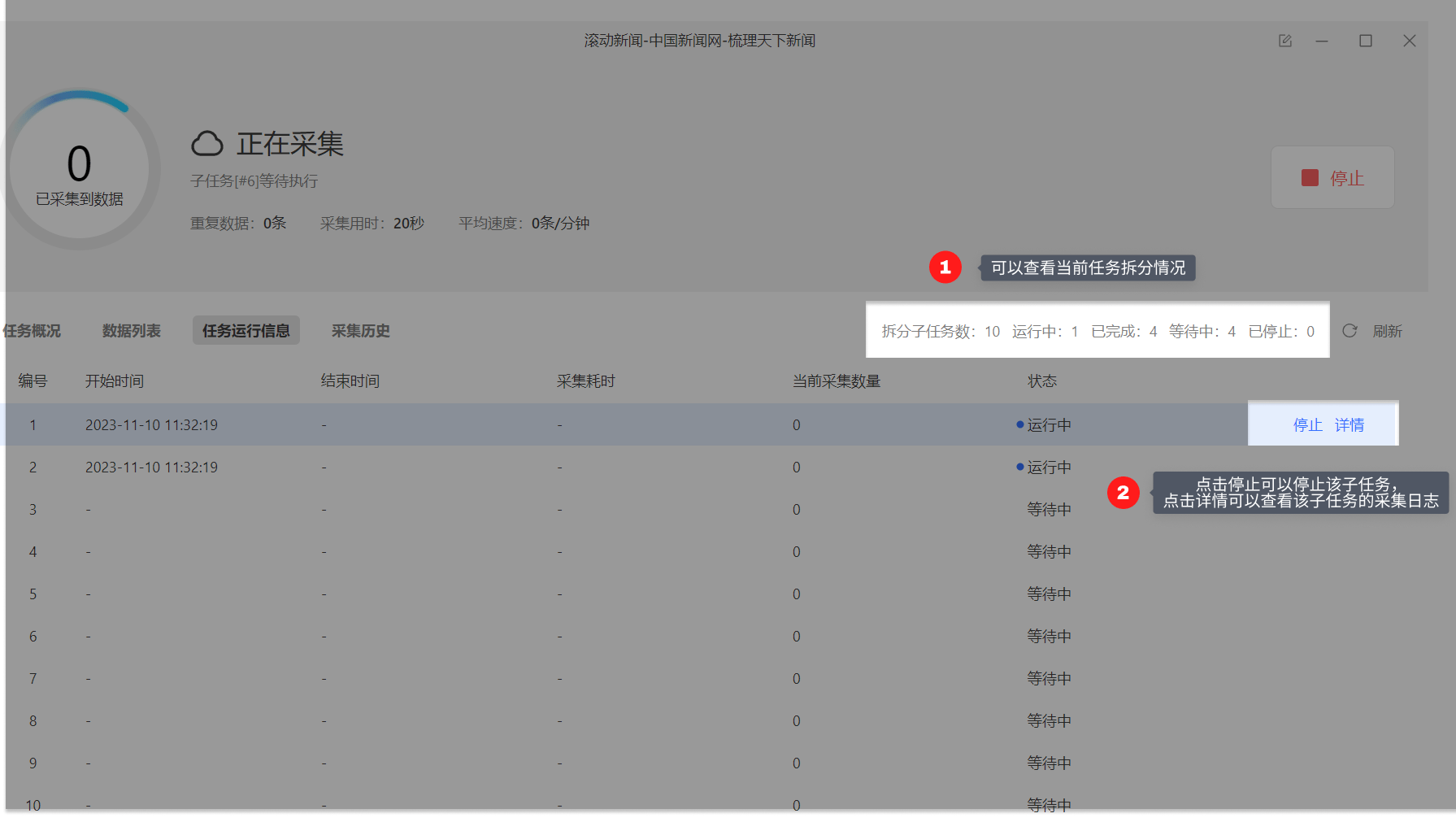 以下是任务运行信息的详细解释(图标1)
**拆分子任务数:**当前任务拆分成了多少个子任务。为1时,表示该任务未进行拆分(任务本身不支持拆分或勾选了云采集不拆分)。大于1时,表示已进行拆分。图中任务拆分成了10个子任务。
**等待中:**还未运行采集的子任务个数。
**运行中:**当前正在采集数据的子任务个数。每个任务会占用一个云节点,故所有任务在运行的子任务数之和小于等于账号节点数。
**已完成:**已完成采集的子任务个数。
**已停止:**程序自动停止采集或人为手动停止采集的子任务个数。
> 注:
>
> a. 支持对子任务进行停止、重启操作。子任务是【已完成】或【已停止】状态时,可点击【重启】让其重新进行采集。子任务重启后,主任务如果是【已完成】或【已停止】,也会变成【运行中】。
>
> b. 如果想要重启正在运行的子任务,需先点击【停止】,让子任务变成【已停止】状态,再重启子任务。
以下是任务运行信息的详细解释(图标1)
**拆分子任务数:**当前任务拆分成了多少个子任务。为1时,表示该任务未进行拆分(任务本身不支持拆分或勾选了云采集不拆分)。大于1时,表示已进行拆分。图中任务拆分成了10个子任务。
**等待中:**还未运行采集的子任务个数。
**运行中:**当前正在采集数据的子任务个数。每个任务会占用一个云节点,故所有任务在运行的子任务数之和小于等于账号节点数。
**已完成:**已完成采集的子任务个数。
**已停止:**程序自动停止采集或人为手动停止采集的子任务个数。
> 注:
>
> a. 支持对子任务进行停止、重启操作。子任务是【已完成】或【已停止】状态时,可点击【重启】让其重新进行采集。子任务重启后,主任务如果是【已完成】或【已停止】,也会变成【运行中】。
>
> b. 如果想要重启正在运行的子任务,需先点击【停止】,让子任务变成【已停止】状态,再重启子任务。
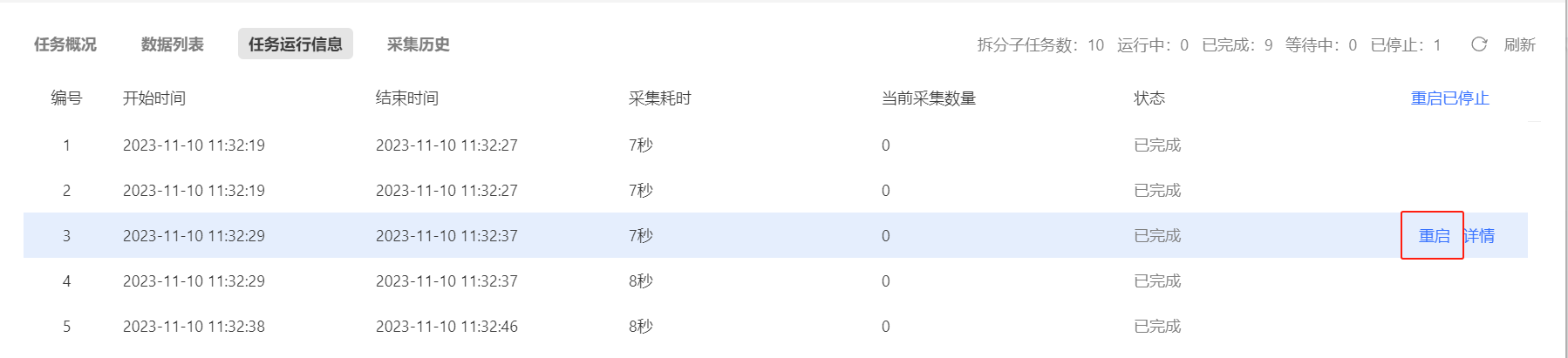 任务的云采集运行流程如下:
 ### **3.数据列表**
点击【数据列表】,可以查看云采集任务实时采集到的数据
### **3.数据列表**
点击【数据列表】,可以查看云采集任务实时采集到的数据
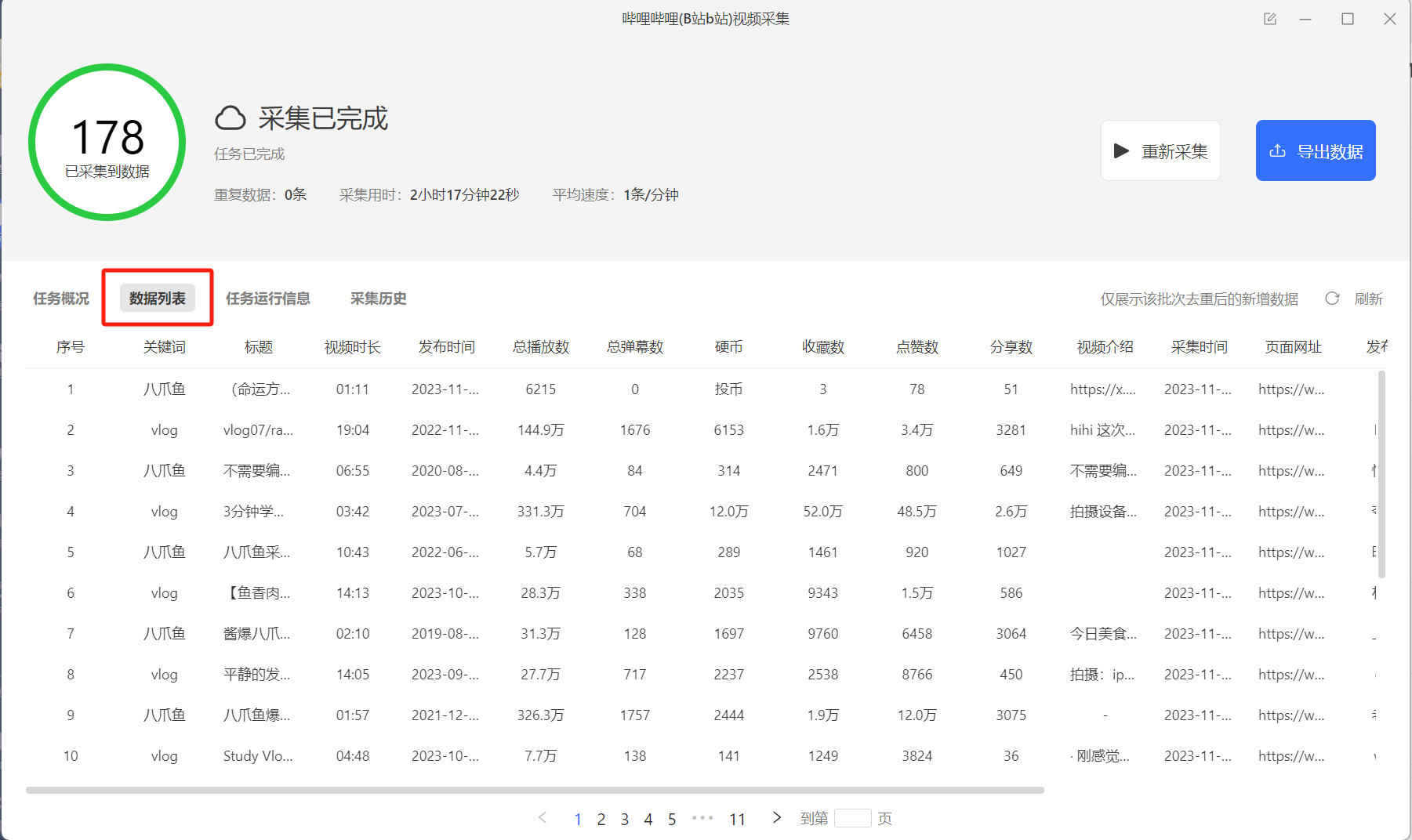 > 注意:云采集确定字段后即不可更改,如果新添加或删减字段,则本任务不更新,需要复制任务重新执行。
### **4.云采集历史**
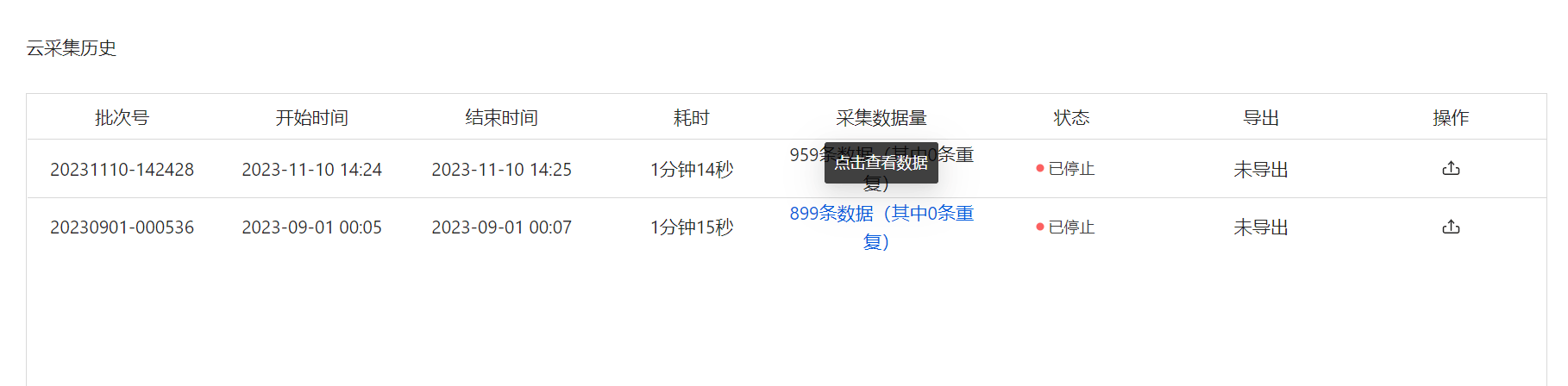
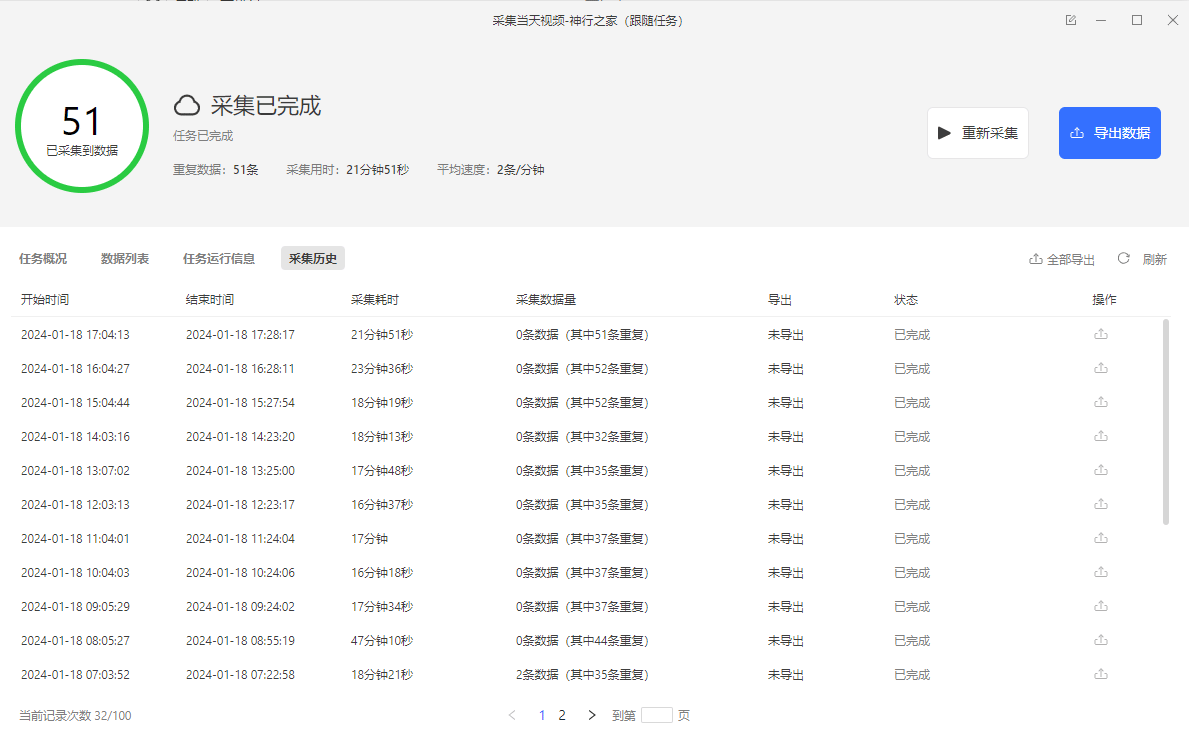
点击【云采集历史】,可以查看任务运行云采集的历史次数,包括每次的批次、运行状态、开始时间、结束时间、耗时、本次采集量、操作等信息。
> 注意:云采集确定字段后即不可更改,如果新添加或删减字段,则本任务不更新,需要复制任务重新执行。
### **4.云采集历史**
点击【云采集历史】,可以查看任务运行云采集的历史次数,包括每次的批次、运行状态、开始时间、结束时间、耗时、本次采集量、操作等信息。
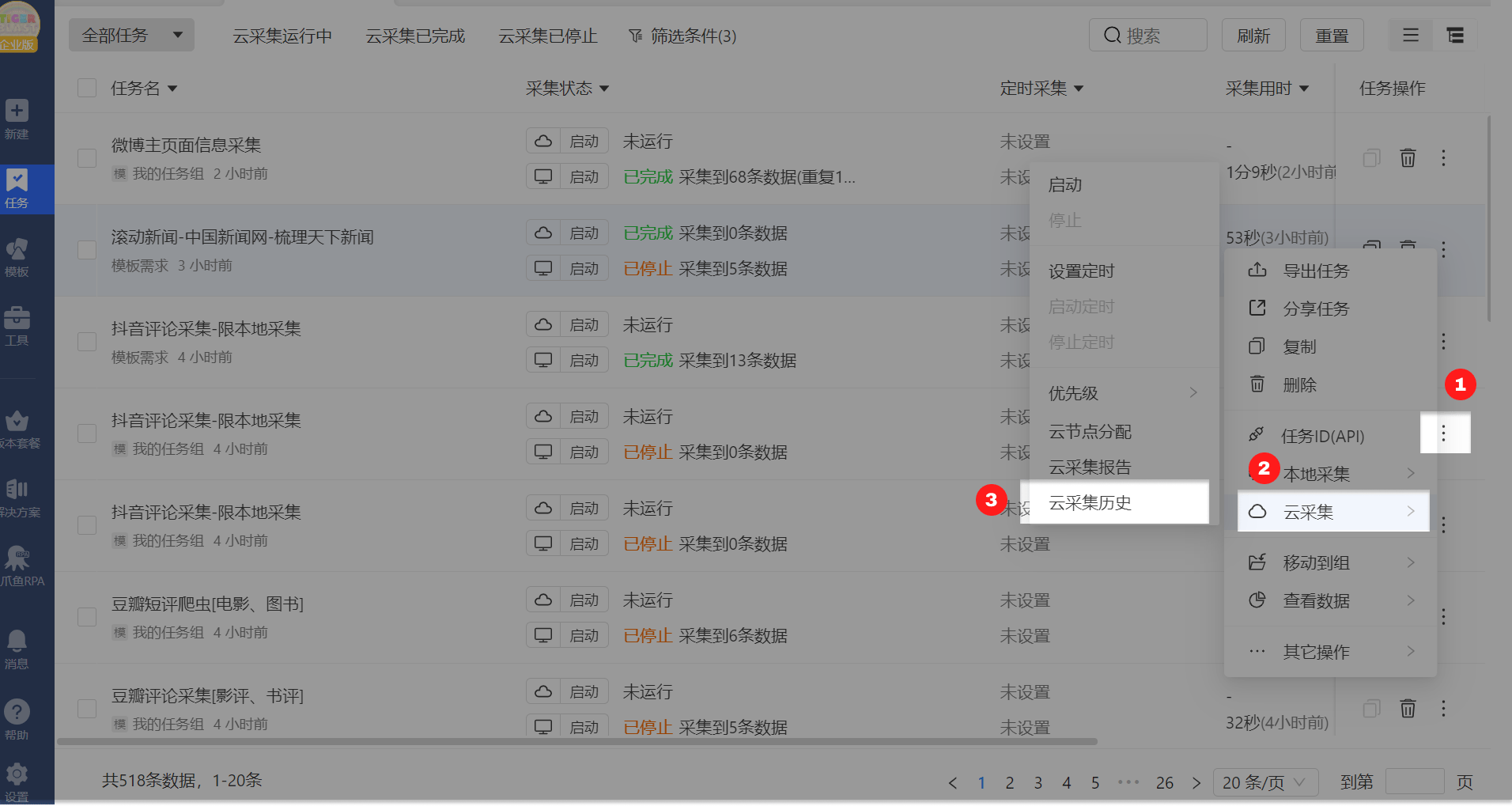
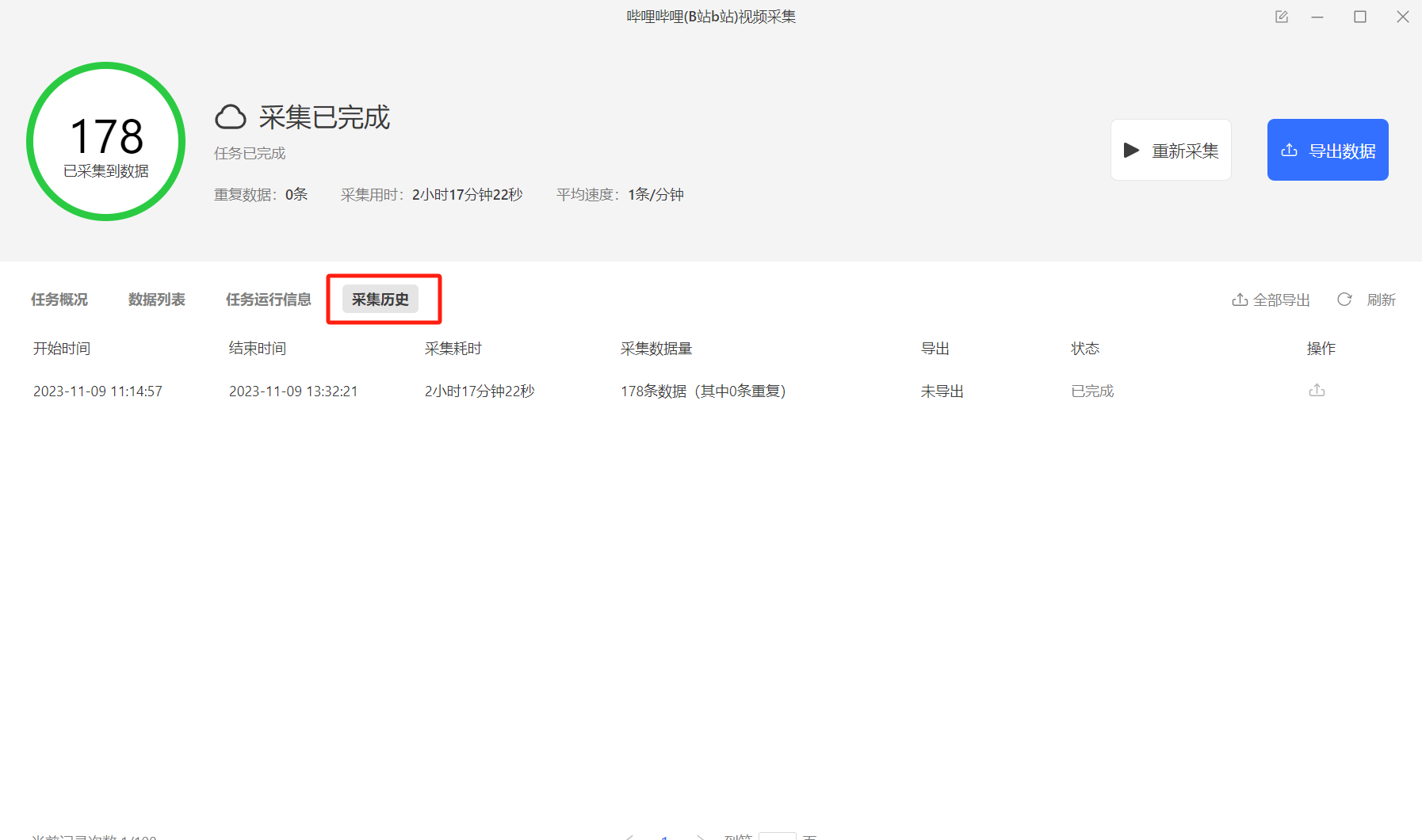 此外,在任务列表,点击任务右侧更多操作的【...】,点击【云采集】,再点击【云采集历史】,进入云采集历史运行记录页面。
 **4.1、云采集历史界面**
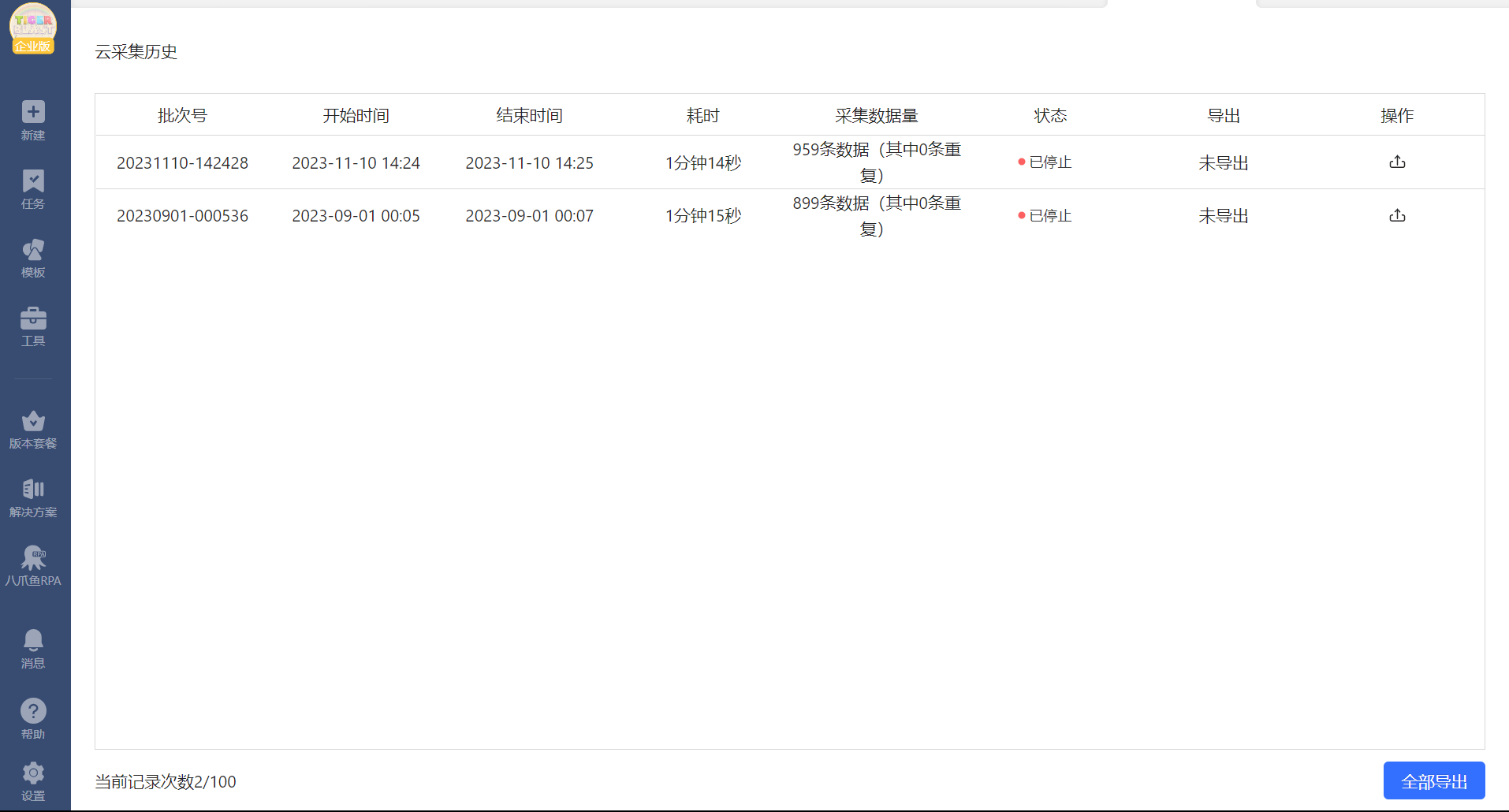
云采集历史页面,记录任务运行云采集的历史次数,包括每次的批次、运行状态、开始时间、结束时间、耗时、本次采集量、操作等信息。
不同的版本可记录的最多次数不一样。可 [点我马上升级](http://www.bazhuayu.com/plan) ,升级到更高版本。
**4.1、云采集历史界面**
云采集历史页面,记录任务运行云采集的历史次数,包括每次的批次、运行状态、开始时间、结束时间、耗时、本次采集量、操作等信息。
不同的版本可记录的最多次数不一样。可 [点我马上升级](http://www.bazhuayu.com/plan) ,升级到更高版本。
 **4.2、查看采集数据**
在云采集历史界面,点击【采集数据量】一列,可查看每一次云采集采集到的数据,并能够导出当次所有数据。
**4.2、查看采集数据**
在云采集历史界面,点击【采集数据量】一列,可查看每一次云采集采集到的数据,并能够导出当次所有数据。